 PauseTime
Take a pause, every day.
Meditation, sleep sounds, breathing, water, cycle and walking in one calm app. A few quiet minutes, whenever you need them.
Coming soon to the App Store and Google Play.
Try it now: breathe in as the circle grows, and out as it shrinks.
Six small habits, one calm place
Open the one you need right now. Everything you log adds up on a single home screen.
Meditation
Guided sessions for stress, sleep and focus, or a simple timer when you just want quiet.
Sleep
Mix rain, waves and other soft sounds, set a fade-out timer and note how you slept.
Breathing
Follow 4-7-8, box or belly breathing with a visual guide, or build a pattern of your own.
Water
Log a glass with one tap, set a daily goal and get reminders only between the hours you choose.
Cycle
Track periods and symptoms, see what's coming next, and keep it all behind a lock.
Walking
Set a daily walking goal and get a gentle nudge after you've been sitting too long.
Inside the app
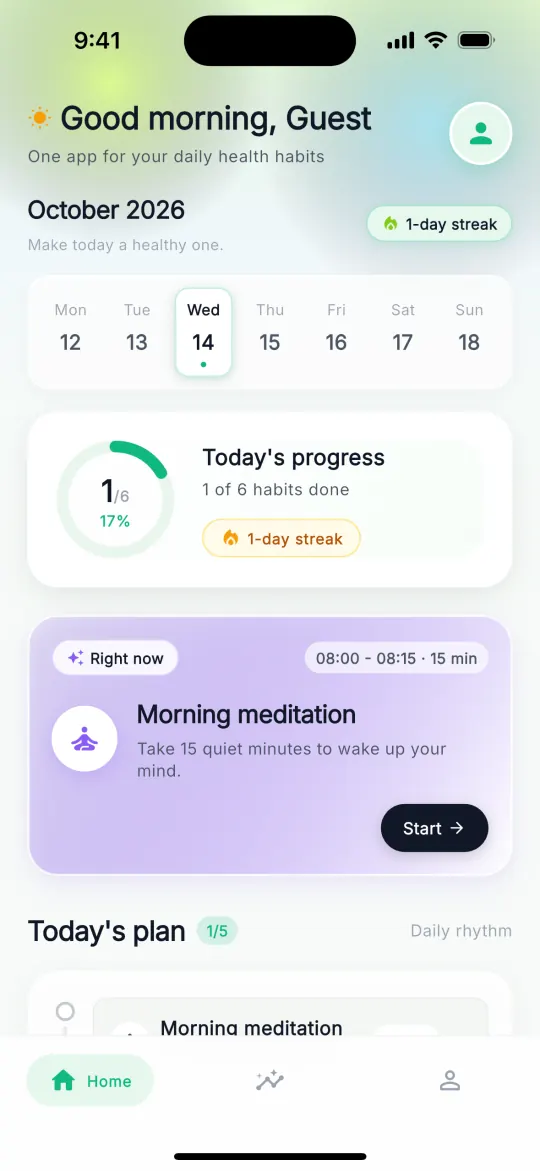
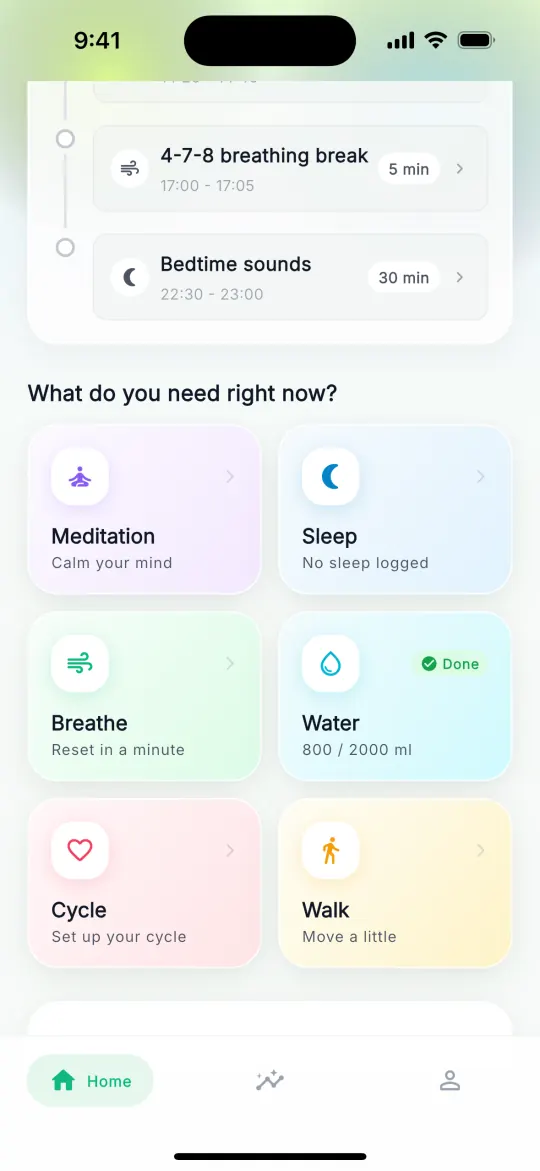
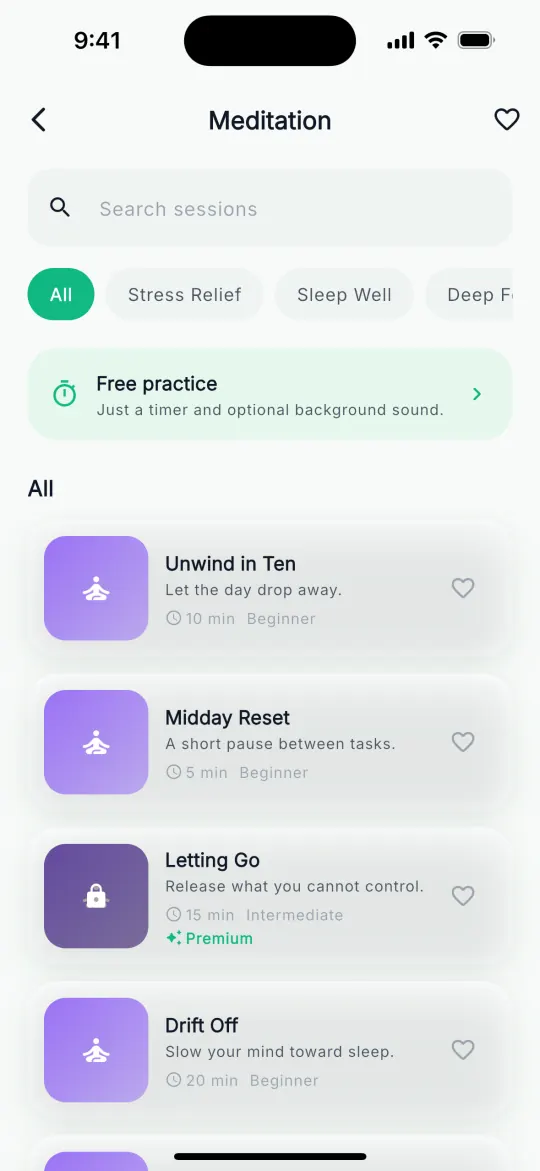
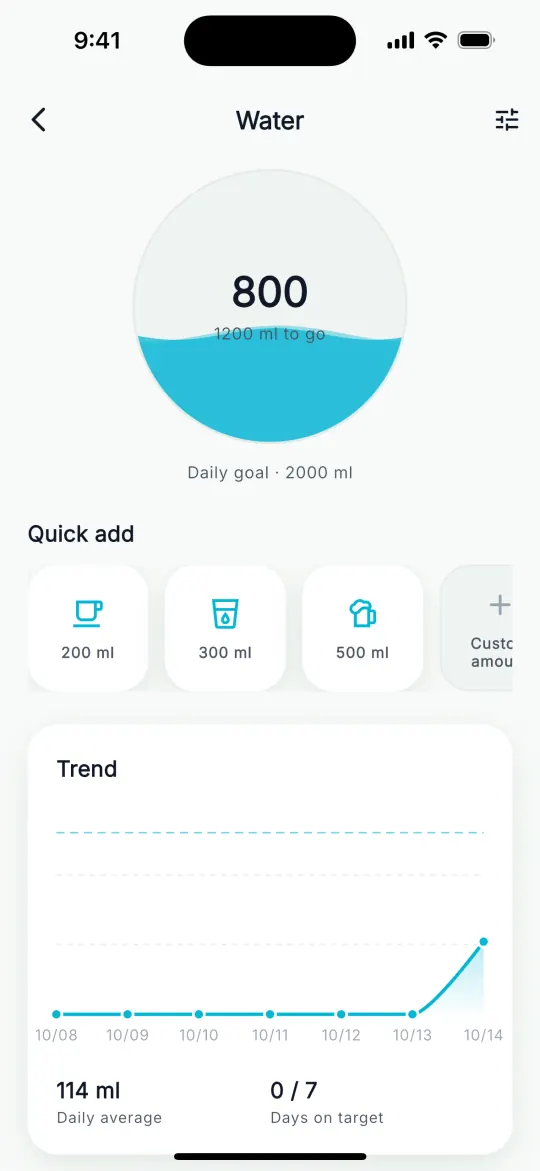
Your records stay on your phone
PauseTime is built to work when the network doesn't.
- Works without a connection
Everything you log is saved on your phone first. Tracking, timers, breathing guides and reminders keep working on a flight or underground, and your records sync once you're back online.
- No account needed
Start right away. Sign in only if you want a backup and to use PauseTime on more than one device.
- Private cycle tracking
Lock the cycle section with a passcode, Face ID or fingerprint.
- Your data isn't for sale
We never sell your data. Read the privacy policy
Questions
Is PauseTime free?
Yes. PauseTime is free to download, and logging your habits is free. PauseTime Premium unlocks the full meditation library and a few extras. The price is shown in the app before you subscribe, and you can cancel anytime from your App Store or Google Play account.
Does PauseTime work offline?
Yes. Habit tracking, timers, breathing guides, statistics and reminders all work without a connection. Guided audio sessions need a connection to play. If you're signed in, your records sync automatically when you're back online.
Do I need an account?
No. You can use PauseTime without signing up. Create an account when you want to back up your records or use them on another device.
Which languages does PauseTime support?
PauseTime is available in 20 languages, including English, Spanish, Portuguese, French, German, Italian, Japanese, Korean, Simplified and Traditional Chinese, and Arabic.
How do I delete my account and data?
You can delete your account from the profile settings in the app, or follow the steps on our account deletion page.
Is PauseTime a medical app?
No. PauseTime is a wellness app. It isn't a medical device and doesn't diagnose or treat any condition. If you have health concerns, talk to a doctor.
Start with one quiet minute.
Coming soon to the App Store and Google Play.